
5 simple website marketing ideas to show off your multifamily properties
Dec 3, 2025

If you’re a regular blog visitor, you know we’ve said this before: All good marketing starts with a great website. The question is, what makes a website great?
Let’s talk about it. We’re sharing five simple website marketing ideas to try, all to help you spotlight your properties and their hidden strengths. It’s sort of like a cheat sheet for what every multifamily website needs (with things that work even if you have limited content or assets).
Everything was inspired by a recent OutREACH webcast, our ongoing series for apartment marketers. Special thanks to presenters Heather Salvatore, Kim Beverly and Andrea Peralta Herrera for sharing their expertise!
The power of multifamily websites
Your website is often the first thing renters see. A clean design, intuitive navigation and high-quality content can make or break whether your prospective customers stay and engage.
Think about your own experience browsing websites: If pages aren’t attractive and easy to follow, do you stick around? Probably not.
The takeaway is that without a compelling, optimized website, you lose the chance to reach, engage and win renters.
5 website marketing ideas that work
Ready for five simple website marketing ideas? We’re covering everything from design elements to page structure.
1. Start with your homepage
Think of a homepage as your website’s foundation. It’s the main entry point that most renters land on, plus it’s a central place that guides them everywhere else.
If it looks good and functions well, your homepage sets your other pages up for success.
To create a strong, well-designed homepage, we recommend the following steps:
- Pick a strategic template
- Use brand-focused designs
- Get inspired by your surroundings
First, select a template that plays to your properties’ strengths. Do you have high-resolution photos that show your remodeled units? Pick a template with more space for media on the homepage. Don’t have the best photos? Choose a template that uses less visuals and places things strategically.
(RentCafe websites offer 80-plus templates to choose from, along with 25 unique widgets. That means you can customize your homepage to function however it needs to.)
Next, play around with design elements that highlight your brand. This can be textures, patterns and colors that match your logo.
You might work in some location-inspired elements, too. Are your properties in vibrant cities? Incorporate bold colors and copy for renters who want to live in the heart of the action.
And don’t forget about the user experience. Your homepage should make it easy for renters to navigate to other pages, and be sure to include relevant calls to action.
2. Show off your floor plans
Whether your properties offer two floor plans or 10, you’ll want to show renters every option. Your homepage is a great place for a quick highlight, but a dedicated floor plan page offers more space and flexibility.
Let’s get into some action items:
- Strategize your page layout
- Include 2D or 3D renderings
- Add a floor plan assistant
How can you figure out the right page layout? Widgets are your best friend. Test a few options to see what makes your floor plans look best (and easy to click through).
As for the floor plans themselves, think about if you need 2D or 3D renderings. 2D renderings are simple and more cost-effective, but 3D floor plans are the most engaging. Our friends at LCP Media can help you evaluate what works for your properties and budget.
Last but not least, add a floor plan assistant. These guide renters along — and encourage them to take the next step — using interactive features. Our floor plan assistant has been shown to increase leads by 129%.
Extra tip: RentCafe websites offer a cost estimator tool, which you can place below your floor plans. You might consider adding this to your page as fee transparency becomes more important.
3. Highlight every amenity
Think you don’t have enticing amenities? Trust us when we say, you probably do! Even if you don’t have luxury amenities, you likely offer something that renters want.
Get this: Did you know 63% of renters say in-unit laundry is a must-have amenity? And 42% say plenty of closet space? That’s according to recent survey data from over 5,000 renters.
For your website (ideally with a dedicated amenities page), here’s what we suggest:
- Market everyday conveniences
- Incorporate photos and videos
- Pick a layout that suits your assets
Don’t overlook your “basic” amenities. Make sure to list everyday conveniences like in-unit laundry, if your units include them.
In addition to listing your amenities, make the page visual! Media goes a long way. That same renter survey found that 49% want photos and videos of specific apartment units. Search engines like Google also reward websites with well-structured media.
And your page layout should make sense for your assets. Think about what photos and videos you have or plan to add later. RentCafe websites offer multiple layout options to meet your unique needs.
4. Market the neighborhood
Do you have multiple properties in one neighborhood? Consider neighborhood marketing, which is exactly what it sounds like: Marketing your properties from a given neighborhood, all together.
You can build an entire neighborhood website, but it’s easiest to start with a neighborhood page on your existing site.
Here’s what your page might look like:
- Include property details
- Feature a local area map
- Add neighborhood content
Yes, a neighborhood page helps you market multiple properties, but don’t lose sight of the details. You should include things like address, pricing and number of bedrooms available for each property.
Let’s talk maps. Think back to your amenities … even if you don’t offer fancy on-site gyms, or even the basics like laundry machines, there might be convenient options nearby. Put an interactive map on your page to highlight surroundings that might appeal to renters.
Bonus: RentCafe websites let you customize what your map displays. Want to show off the restaurants down the street but not the industrial facilities? No problem. You can also adjust the map’s color scheme so it matches your branding.
And be sure to give your page some neighborhood-focused content, like blog posts or FAQs. This type of content helps inform renters about the area, plus it appeals to search and generative engines. This neighborhood marketing article dives deeper and gives tips for where to start.
5. Write relevant FAQs
Website FAQs aren’t limited to neighborhood marketing. They can be used to quickly inform renters about a specific property or your rental policies.
Some marketers include FAQs on their website’s homepage, while others create a focused FAQ page. Either works — but we suggest the page route. It keeps your homepage uncluttered and gives renters an organized place to find the answers they’re looking for.
Let’s look at which steps to take:
- Write a variety of options
- Include natural keywords
- Use schema markup
When searching for their next home, renters want the full picture. You can start with FAQs that cover the bases we mentioned: your properties, policies and neighborhood. A variety is best, and make sure to keep your answers concise.
Here are some example questions to get you thinking: Which school district is the property located in? Is there reserved parking on-site? What’s the best neighborhood to rent an apartment in Santa Barbara?
Like we touched on in the last section, FAQs appeal to search and generative engines. This website FAQ guide explains it all, but one quick strategy tip is to include natural keywords. It’s best to write FAQs similar to how renters would phrase questions in search.
Another smart tactic is to incorporate schema markup. It’s a specific code that helps search engines read your FAQs as literal questions and answers. (RentCafe websites offer built-in schema markup, including FAQ-specific schema.)
Let’s chat about your website strategy
If you made it to the end of this article, congrats! We covered a lot, but now you’ve got website marketing ideas to carry into the year ahead.
Looking for help creating a standout website or revamping an existing one? Reach out to us. We’d love to tackle your next project.
In the meantime, get more website insights and strategies here:

Recent posts

Our renter advocate Sam Skrobot digs into the latest Gen Z renter data, from the content that earns their trust to the kind of AI they’ll actually use. Here’s what it means for the way you market your properties.

The most dangerous marketing metric? It’s the one you look at alone. See three examples of multifamily metrics that tell a misleading story.
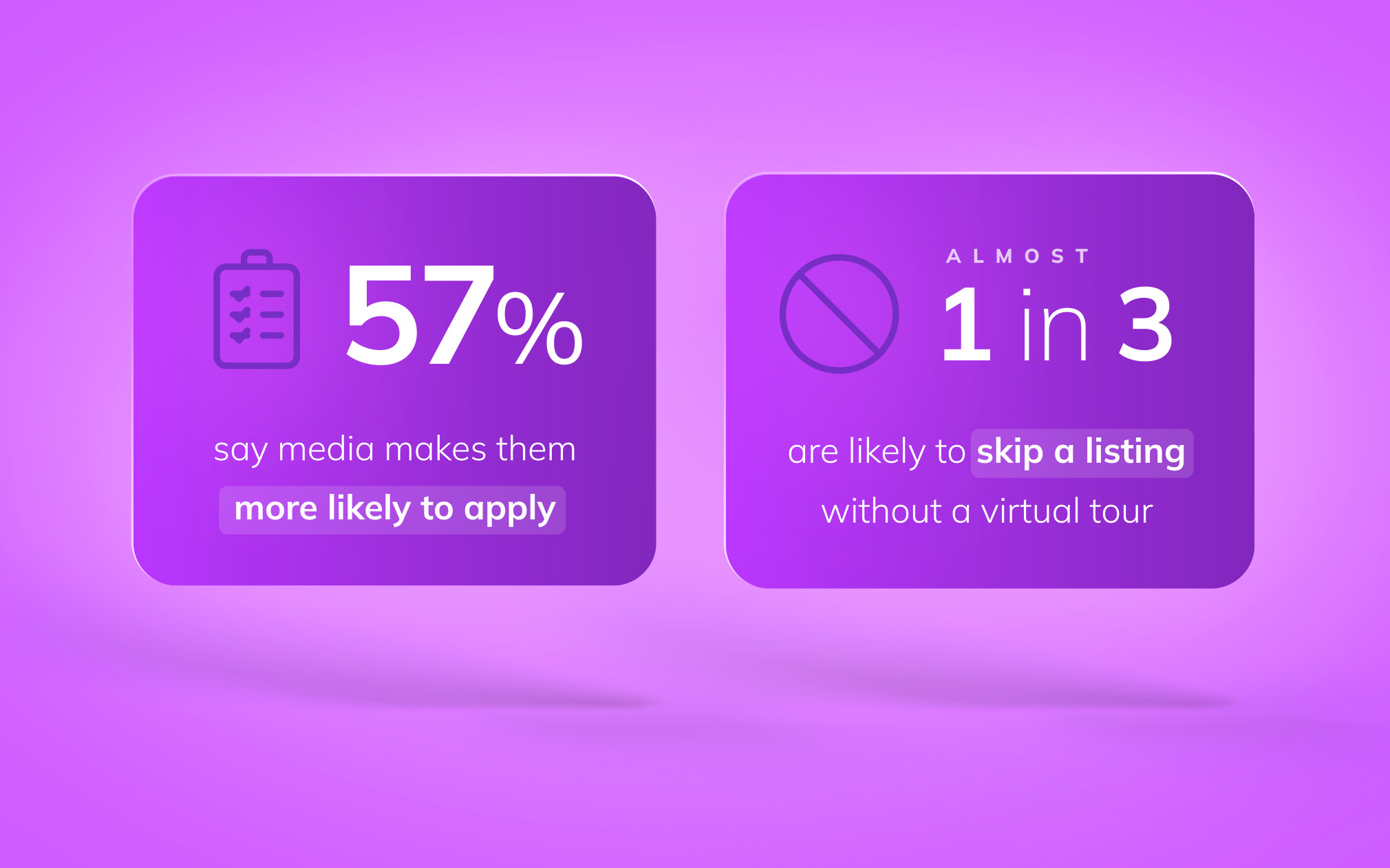
New survey data from 11,320 renters reveals how media shapes the leasing decision — and what your listings need to show.
Categories
Similar articles

Google search advertising for multifamily: What’s next, straight from Google
We’re living through the biggest shift in search marketing since the search engine was born. To help you make sense of it, Catriona Orosco, senior director at REACH by RentCafe, sat down with Robert Gibbs, head of agency at Google, to talk through what’s actually changing in search and paid search.
Cookie consent for apartment websites: What marketers need to know
Get a better understanding of cookie consent for apartment websites. Find out what you need to know about your options, state laws and how they impact your analytics.

Search strategy survival kit: SEO & PPC tips for the AI search era
Rental search has changed. Here’s how you should update your SEO and PPC strategies to stay visible in the AI era.